
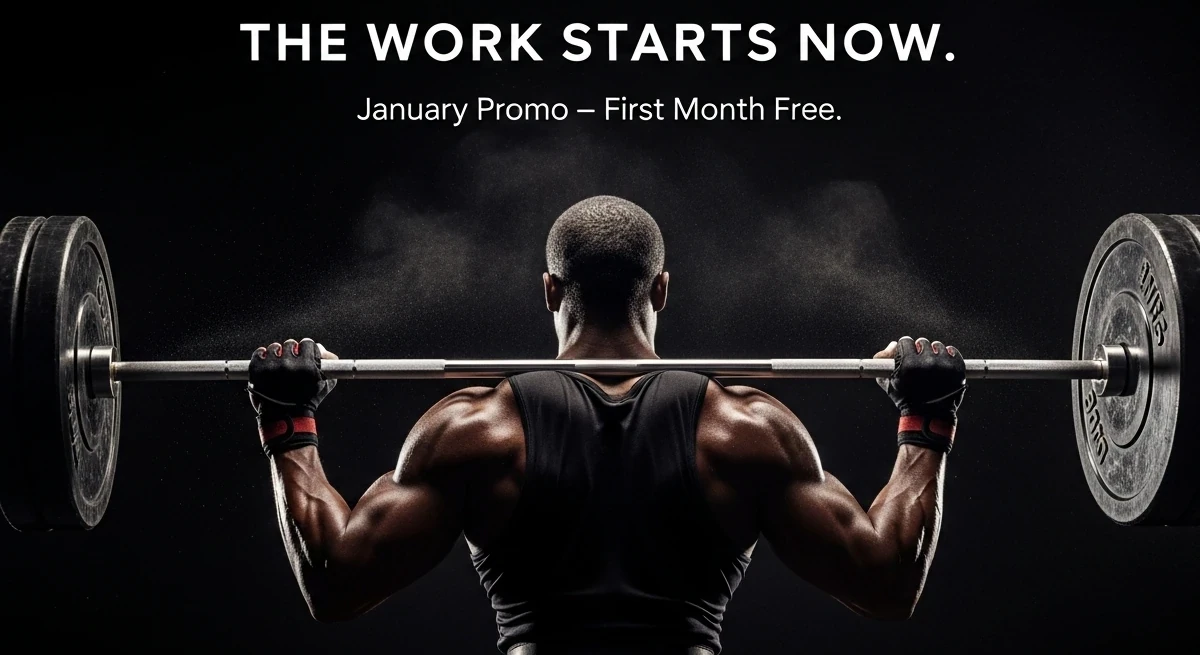
If you own a business or run a brand of any kind, you already know when your social media graphics aren’t pulling their weight. You post consistently, you share good information, you try to stay active… yet people keep scrolling right past your content. And with 27.3% of people using social media specifically to find products to purchase, every weak graphic is a missed revenue opportunity. Whether you run a local business or you’re a solo marketer trying to grow your audience, you can feel it. Your visuals aren’t stopping the scroll, and that means your message isn’t getting seen.
And your graphics directly impact revenue.
Weak graphics quietly choke your reach, damage your credibility, and make your content look forgettable, even when your actual offer is great, and eye-catching visuals lead to more clicks, more profile visits, more shares, more inquiries, and more sales. That’s just life in a competitive market.
So, if you’re here because you want your posts to look sharper, feel more professional, and actually convert, this guide is for you! On this page, you’ll learn exactly how to tell whether your social media graphics are helping or hurting your brand, and how to change that into attention getting graphics that capture prospects and drive action!
Need professional help with social media graphics? Click the button below to get in touch. Let’s discuss your project and come up with something that jumps out at your customers and gets them to react!
Before you can improve your social media graphics, you need to understand the signs that they’re underperforming. Most business owners and marketers don’t realize how many small design issues quietly crush engagement and stop a post from getting traction, but it’s true. People are in a hurry, they scroll through posts a lot, and you have to be able to stand out and demand attention.
Here are the biggest red flags to look for when evaluating your graphics to keep them from hitting your metrics:
- Low Engagement Rates: Low likes, comments, and saves indicate your visuals aren’t grabbing attention quickly enough to make people stop scrolling or interact with your content.
- Hard-To-Read Text: Small fonts, poor spacing, or busy backgrounds make your message difficult to understand, especially on mobile where most users view your posts.
- Poor Contrast and Colors: Weak contrast or clashing colors make your graphics visually confusing, reduce readability, and prevent important elements from standing out.
- No Clear Message or Offer: If viewers can’t understand your point in seconds, your graphic isn’t focused enough to communicate value or drive the action you want.
- No Visual Hierarchy: When everything looks equally important, nothing stands out. This confuses viewers and makes your post feel overwhelming or unclear.
- Inconsistent Brand Look: Inconsistent branding breaks trust, weakens recognition, and makes you look less credible, all of which directly hurt conversions.
These warning signs may look small on the surface, but they create big losses in visibility, trust, and revenue over time. The sooner you identify and correct them, the quicker your engagement, reach, and conversions can rebound.
Bottom line: getting your social media graphics right is a direct investment in performance.
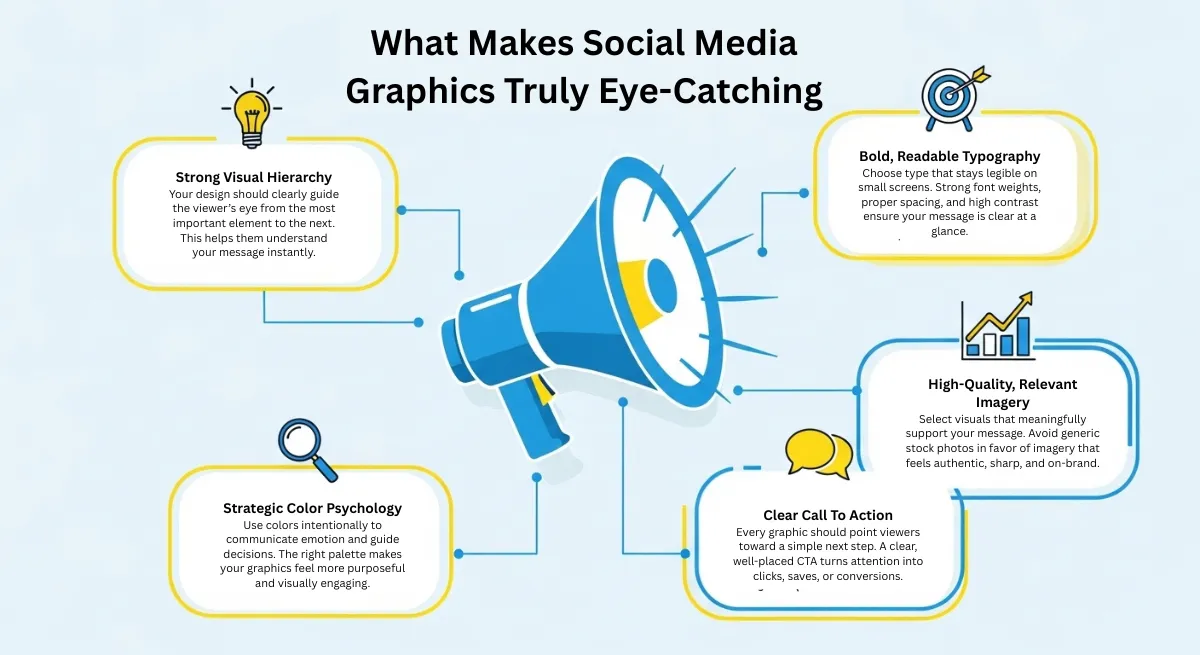
The Real Secret Behind Eye-Catching Social Media Graphics
Most graphics fail because they try to do too much or say too little at the same time. High-performing designs follow a simple rule: make your social media graphics visually stunning, and make whatever it is that makes your product or service AMAZING crystal clear at a glance. When your audience understands your post in a single glance, they are far more likely to pause, engage, and remember your brand.
Whether you are designing for social media, promoting a seasonal sale, or creating a new banner for your website, the real difference comes from intention.
Every element is chosen for a reason. The type, spacing, color, imagery, and placement all work together to guide attention and influence action. When design decisions are strategic instead of random or rushed, your content stops looking like just another post and starts functioning like a visual sales tool.
How Our Professional Design Services Drive Better Performance
Our social media graphics are designed to perform. Every visual is built with purpose, clarity, and conversion in mind, so your content stands out and gets people to react. Here are some of the benefits of having our expert graphic designers design your social media graphics for you:
- Scroll-Stopping Designs: Custom visuals created to capture attention instantly and interrupt the endless scroll with impact.
- Brand Consistency: Colors, fonts, and layout aligned with your branding to build recognition and trust over time.
- High Conversion Focus: Every design is structured to support action, engagement, and decision-making.
- Platform-Optimized Sizes: Graphics formatted specifically for Instagram, Facebook, LinkedIn, TikTok, and ads.
- Faster Content Creation: Save time with professionally designed graphics ready for posting or promotion.
- More Engagement: Better visuals lead to more likes, shares, clicks, and comments.
- Clear Competitive Edge: Stand out from competitors still using templates and low-quality designs.
At this point, it’s clear what separates average graphics from those that actually move people to act. Knowing the right elements is the first step, but applying them consistently across your content is what creates momentum. That kind of visual clarity only happens with a focused strategy and the right creative support behind it.
Unlock The Power Of High-Impact Design! Schedule a Free Consultation Today!
Right now, your audience is deciding whether to trust you, follow you, or move on, often in less than a second. The right graphics change that moment in your favor. If you’re ready for visuals that reflect the true value of your brand and attract the right attention, let’s build them together. Reach out for a free design assessment today and get your brand the attention it deserves.
Signs Your Social Media Graphics Are Not Working